
C# Programmer
Eddy Grootenboer
I have two years of experience with C# Unity programming and released two indie games on Steam so far.
Contact me here:
About Me
Experience
With 5 years of experience as a producer at an indie game company and 3 years of programming studies, including a 6-month internship at another indie studio, I can bring a good mix of leadership and technical skills. My focus is developing engaging game features, but also creating tools to streamline the game process. C# is the language I’ve worked with extensively, but I have also dabbled in C++ and Blueprints.Notable Work
I’ve played a key role in the release of two indie games on Steam, where I was heavily involved in both feature development and tool creation. These projects have sharpened my skills and helped me turn creative ideas into reality.Future Aspirations
I’m passionate about game development and aim to work on games I can be proud of. My goal is to keep refining my skills, pushing the limits of what’s possible, and contributing to games that truly connect with players. I also enjoy the challenge of debugging, optimizing, and improving existing systems, making gameplay smoother, performance stronger, and player experiences more engaging over time.Contact
I’m always open to new opportunities and collaborations. Feel free to reach out!
Projects
Warzone Survivor

Solo Project
Date: September 2024
Time Spent: 6 weeksFirst school assignment.
Vampire survivor-like game
Pixel Petals

Solo Project
Date: November 2023
Time Spent: 25 weeksFirst solo Steam release. A relaxing 2D flower-planting and crossbreeding game.
Vanta

Group Size: 15
Date: November 2022
Time Spent: 4 weeksCo-op puzzle game where players embody Light and Shadow in an underground civilization.
Protect The King

Group Size: 13
Date: October 2022
Time Spent: 4 weeksGrid-based tower defense with a chess theme. My first group project during studies.
Mini Projects
Catmarine

Group Size: 5
Date: March 2025
Time Spent: 3 daysOnline multiplayer game-jam game
MTG Booster pack opening

Solo Project
Date: July 2024
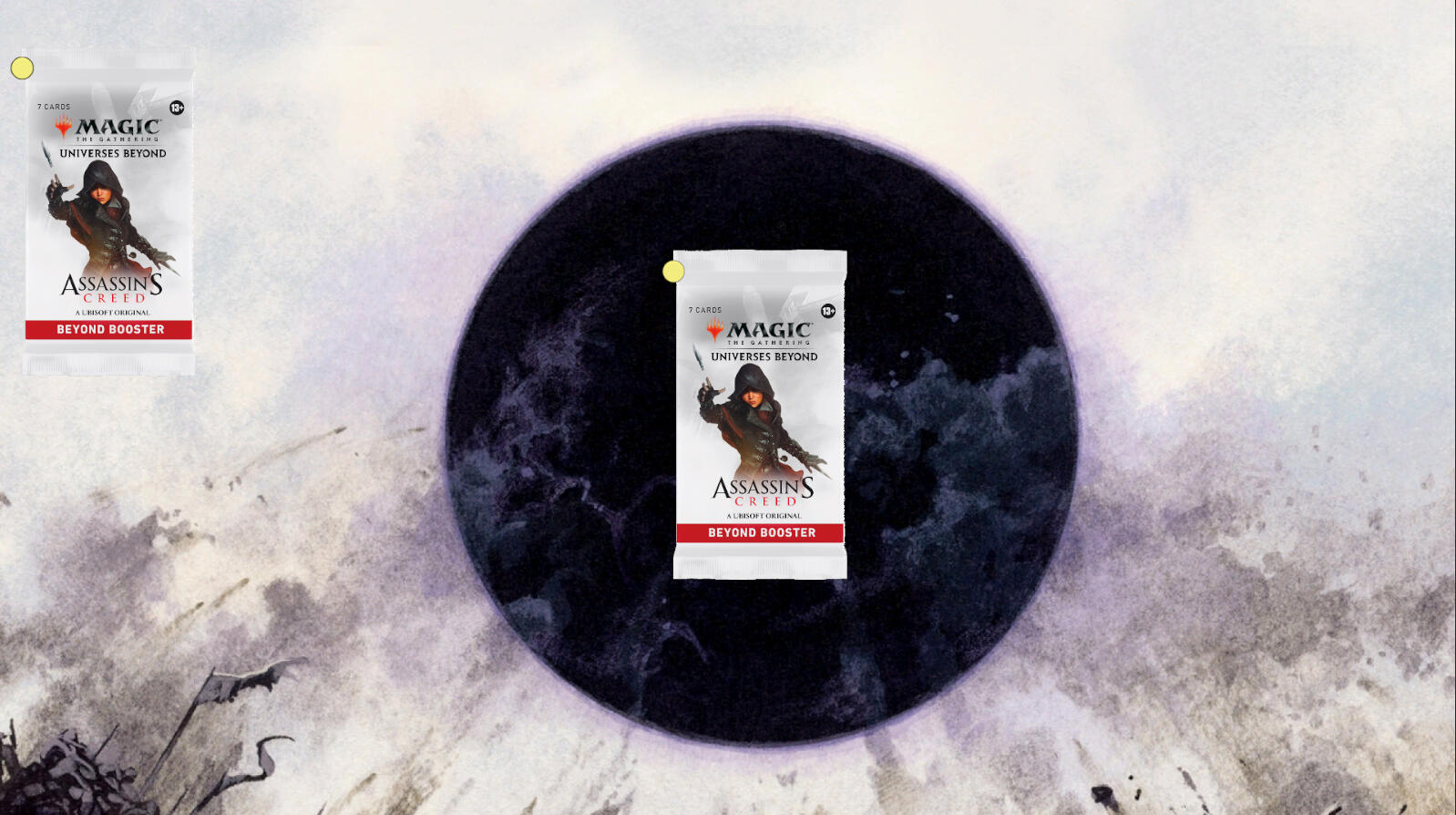
Time Spent: 3 daysA project where you can download any set from the Scryfall and open booster packs
Game Of Life

Solo Project
Date: June 2024
Time Spent: 2 daysConway's game of life
Super Tic Tac Toe

Solo Project
Date: August 2023
Time Spent: 5 daysSuper Tic-Tac-Toe: 3×3 boards with online multiplayer


Protect The King
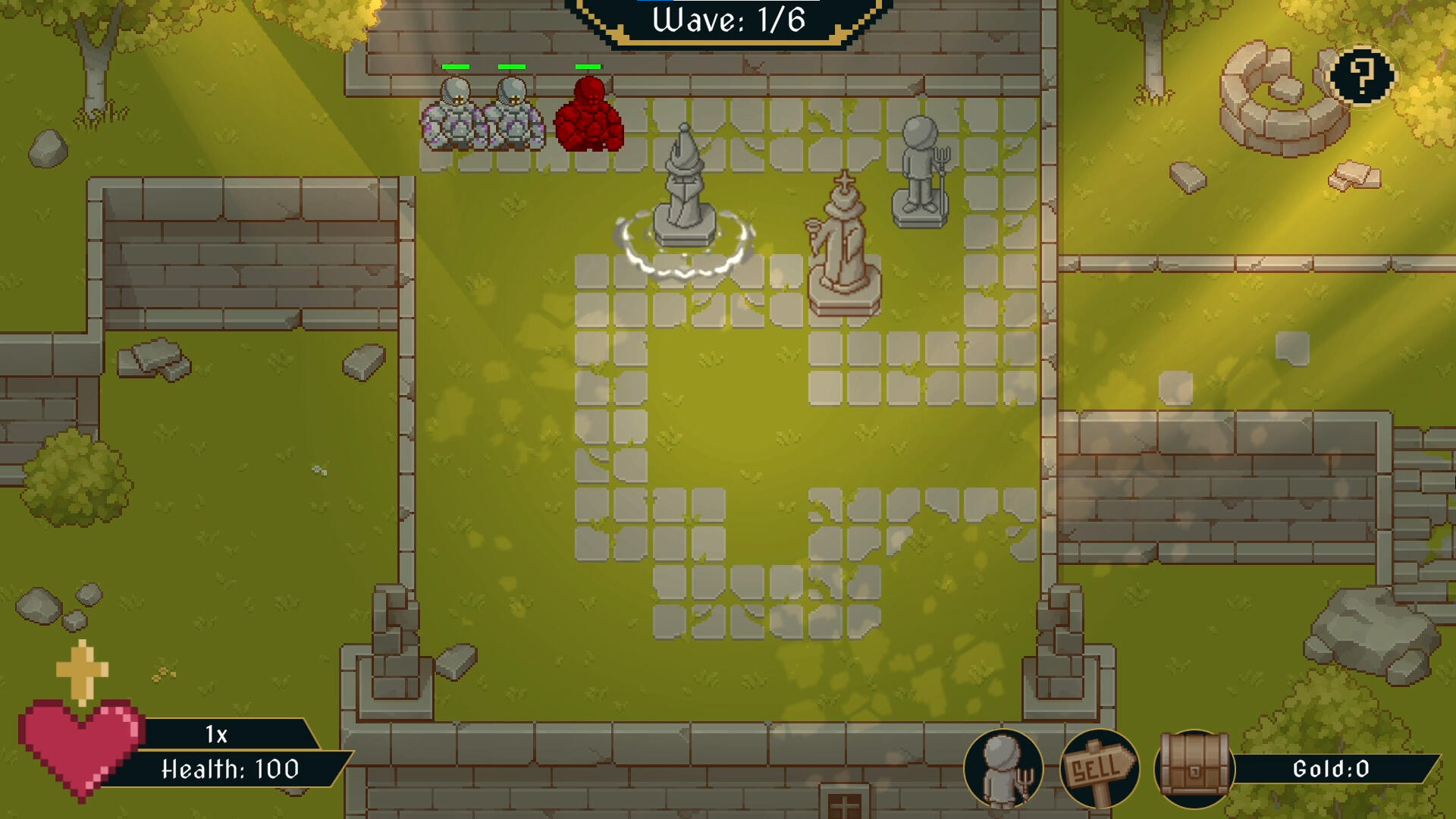
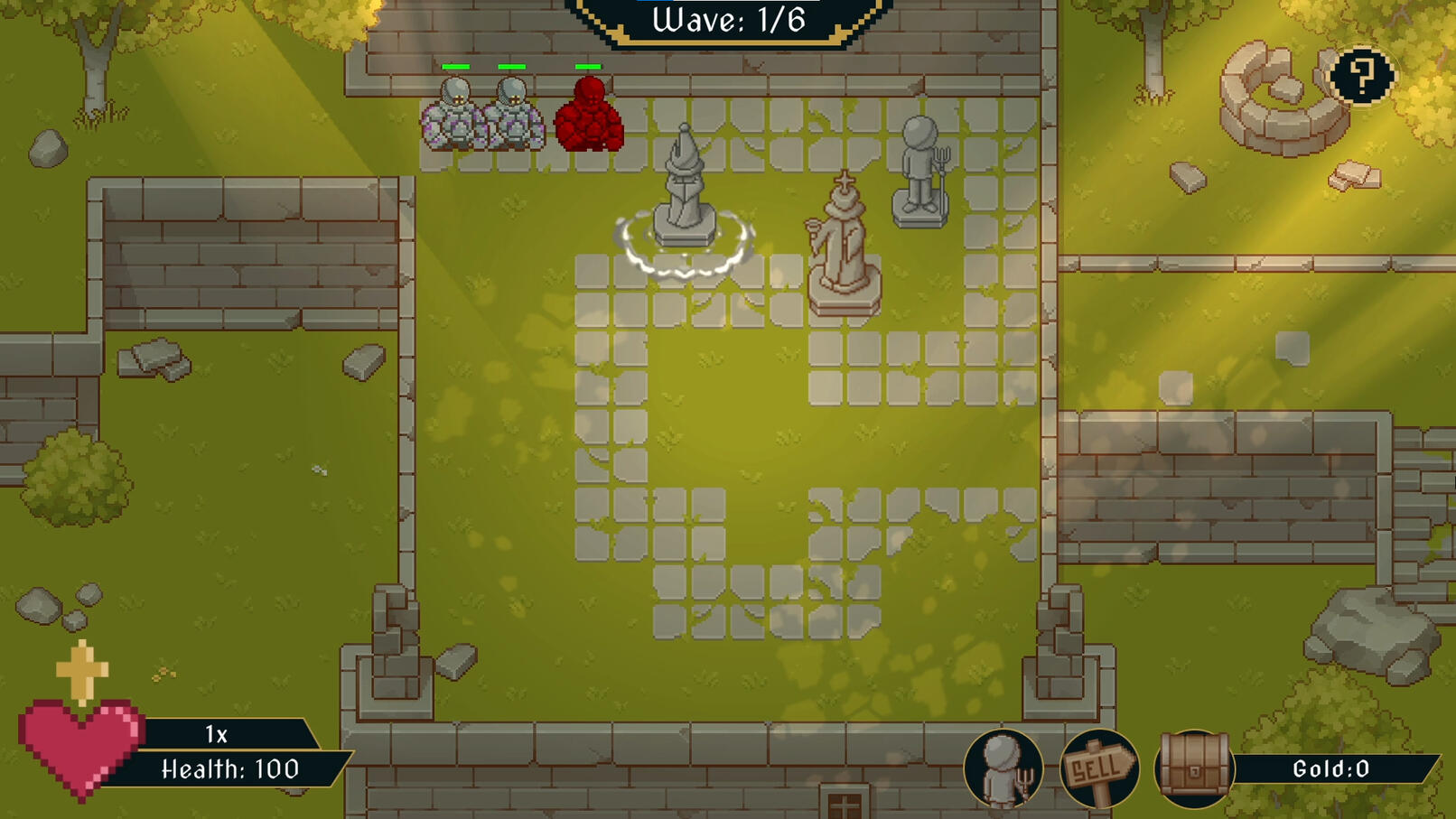
This was the first group project I worked on while studying at Future Games. This project started in the fifth week of the education. With so little time learning code, I was very nervous. I had to work together with other programmers, designers, and project managers to make a game in 4 weeks. The initial idea of the game was that it would be in 3D, but after 2 weeks of 3D not working out, I was tasked with prototyping a 2D version.
Contributions:
2D Grid System
Enemies
Tower placement
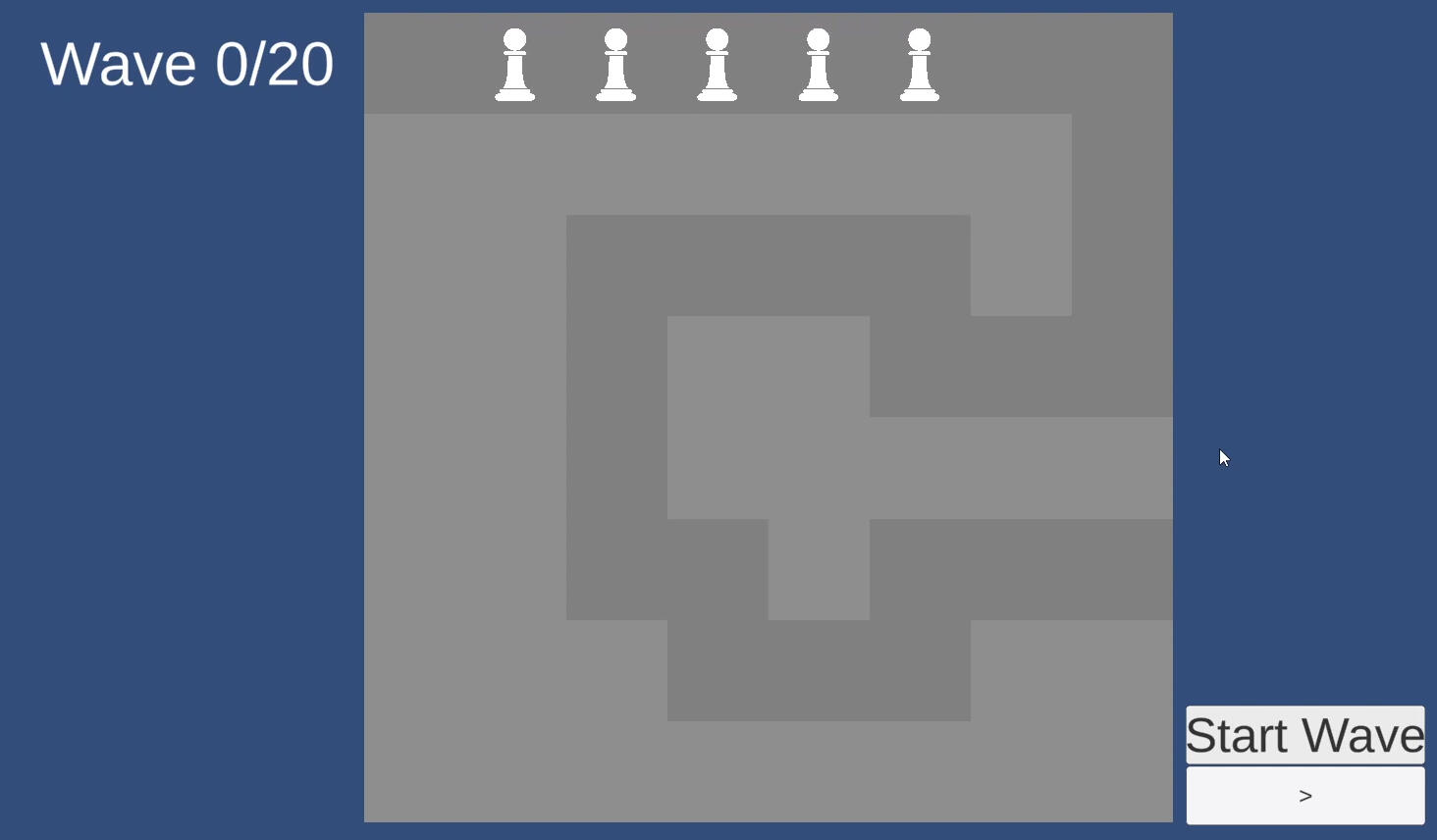
2D Grid System
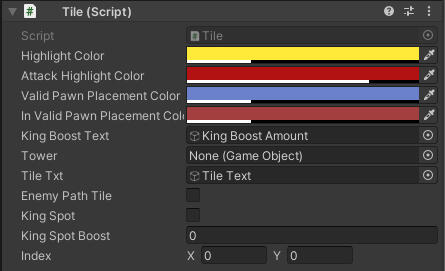
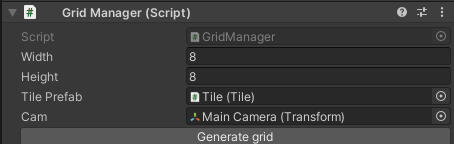
I started working on the 2D grid component. The first thing I created were the tiles themselves. I followed a tutorial that used different objects for highlighting and changing the tile's color. I didn't fully like that system, so I chose to use one tile and change the sprite color. In addition to changing color, I made it so that the tiles can be set with a boolean value indicating if they are a path tile or not. After making the tiles, I needed to spawn them in a grid in the center of the camera. I didn't make them spawn on start due to not knowing how to set up the walkable path from a list or scriptable object.I added on-enter and on-exit triggers on the tiles to detect if the mouse is hovering over the tile, which will then tell the game manager if the tile is currently being hovered. I also change the color of the tile if it's hovered over.
Enemies
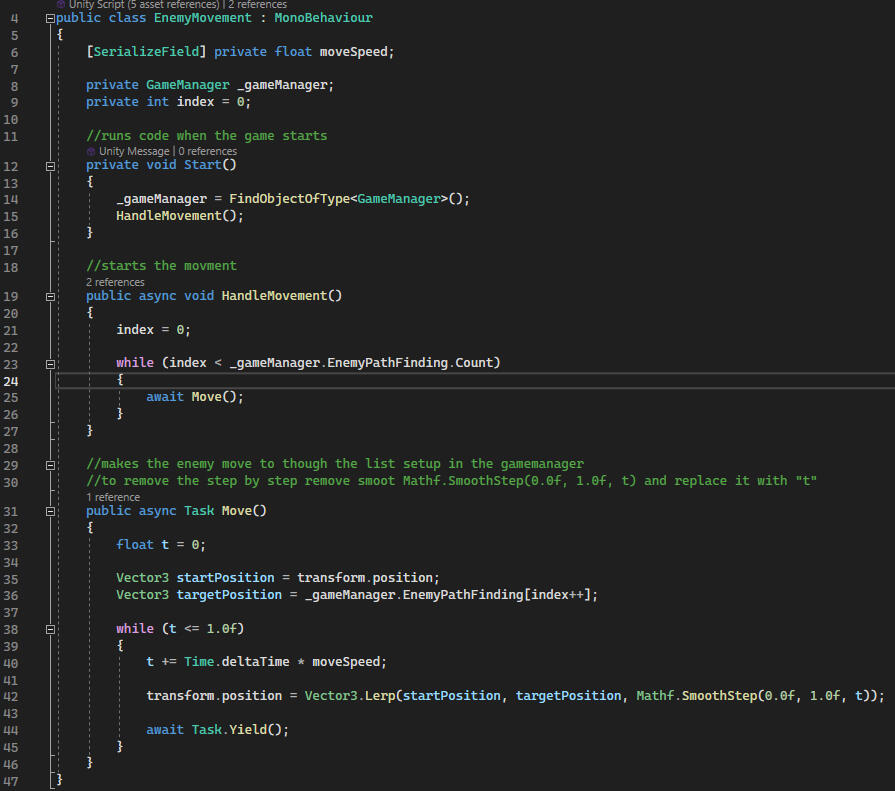
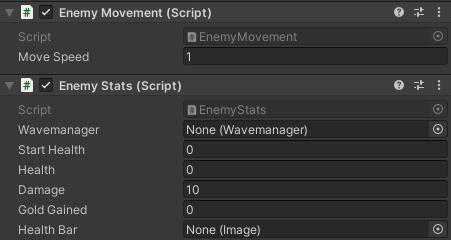
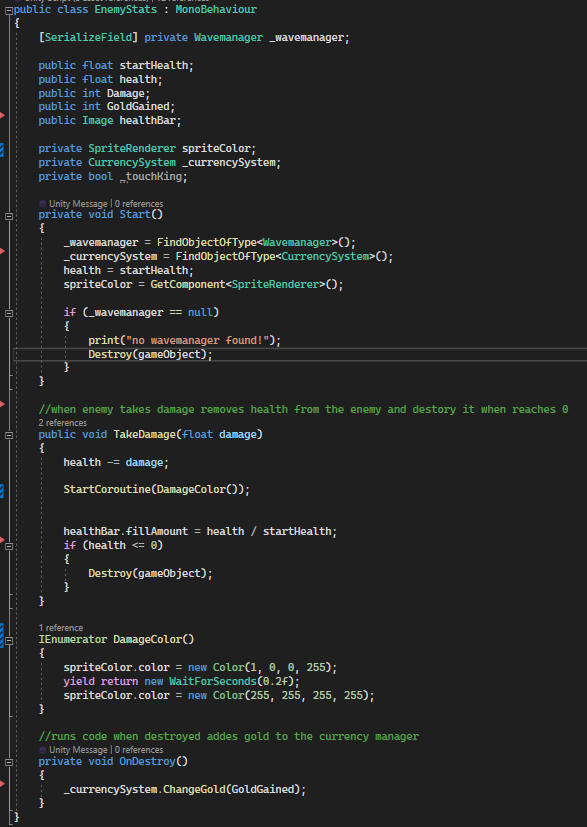
The EnemyMovement script controls how enemies move in the game. When the game begins, it figures out where they should go and starts moving them along their path.The HandleMovement function decides where the enemy should go, and the Move function makes them move smoothly from one spot to the next. This makes it look like they're moving seamlessly through the game world.The EnemyStats class looks after the enemies' stats and actions. When an enemy appears, it sets up things like how much health they have and how much damage they can do.When enemies get hurt, the TakeDamage function reduces their health. If their health drops to zero, they disappear.To show when enemies get hurt, the damageColor effect briefly changes their color.And when an enemy disappears, the OnDestroy function gives the player some gold as a reward for beating them.
Tower Placement
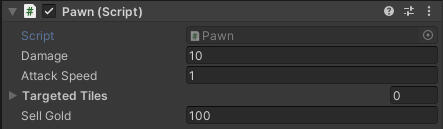
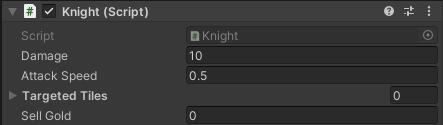
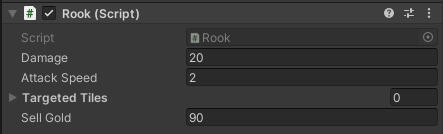
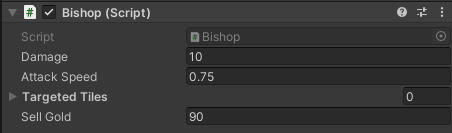
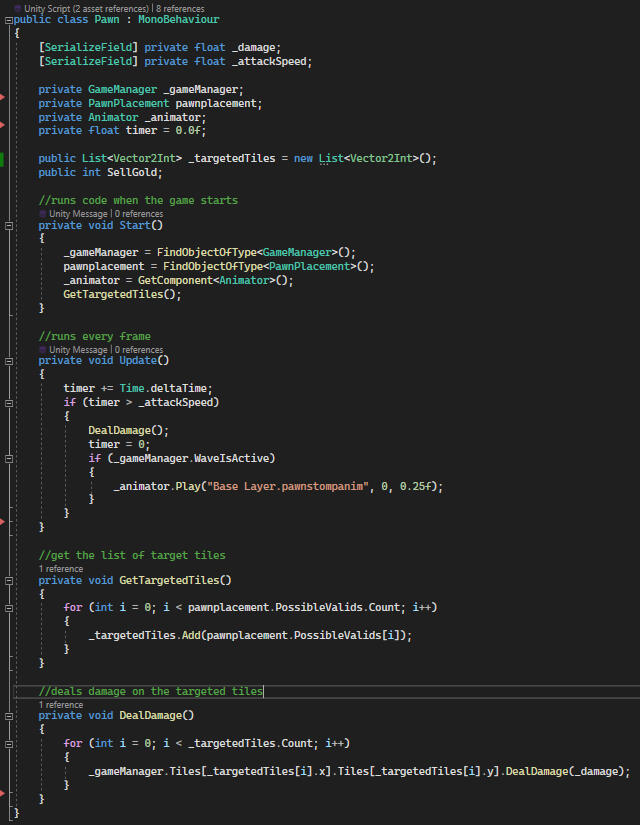
I began by integrating drag-and-drop UI elements into the codebase. Upon grabbing the object, it notifies the GameManager about the tower piece being dragged, subsequently disabling the UI element's raycast target. This allows the GameManager in know the hovered tile accurately.Upon releasing the tower, the UI element's raycast target is reactivated, and the tower is returned to its original shop location. Additionally, the system verifies whether the player possesses sufficient funds and if the placement is valid, ensuring it's not on a designated path or an occupied position. If all conditions are met, the tower is instantiated and initiates its designated function, dealing damage to the indicated tiles upon purchase.Also i didn't know what inheritances was back here so everything was its own script.
Conclusion
This project was my very first step into making games, and I’m really proud of how it turned out. At the start, I barely knew where to begin and only had four weeks to finish, with the last two weeks being the most intense. Starting from nothing was definitely the hardest challenge, but it pushed me to dive into Unity and discover how much I enjoy building with grids.Through this project I not only learned how Unity truly works, but also uncovered my love for grid-based games. That discovery has stuck with me and even inspired me to create my own grid-based game on Steam afterwards.Looking back, there are definitely things I would approach differently now, such as optimizing tower placement and making upgrades easier to expand, but those lessons are exactly what made this such a valuable experience. This project lit the spark for my journey in game development, and I’m excited to keep building on what I started here.
Credits:
| Project Managers | Designers | Programmers |
|---|---|---|
| Alexander Jakobsson | Frank Ortega | Eddy Grootenboer |
| Ali Al Dakhil | Devrim Kara | Alexander Schöllin |
| Alexander Kågström | Hampus O. Ström | Oskar D. Sundström |
| Hamza Özder | Anton Öberg | Milton Holmgren |
| - | Rusland Biba | - |
Contributions:
Light System
Interactables
Light System
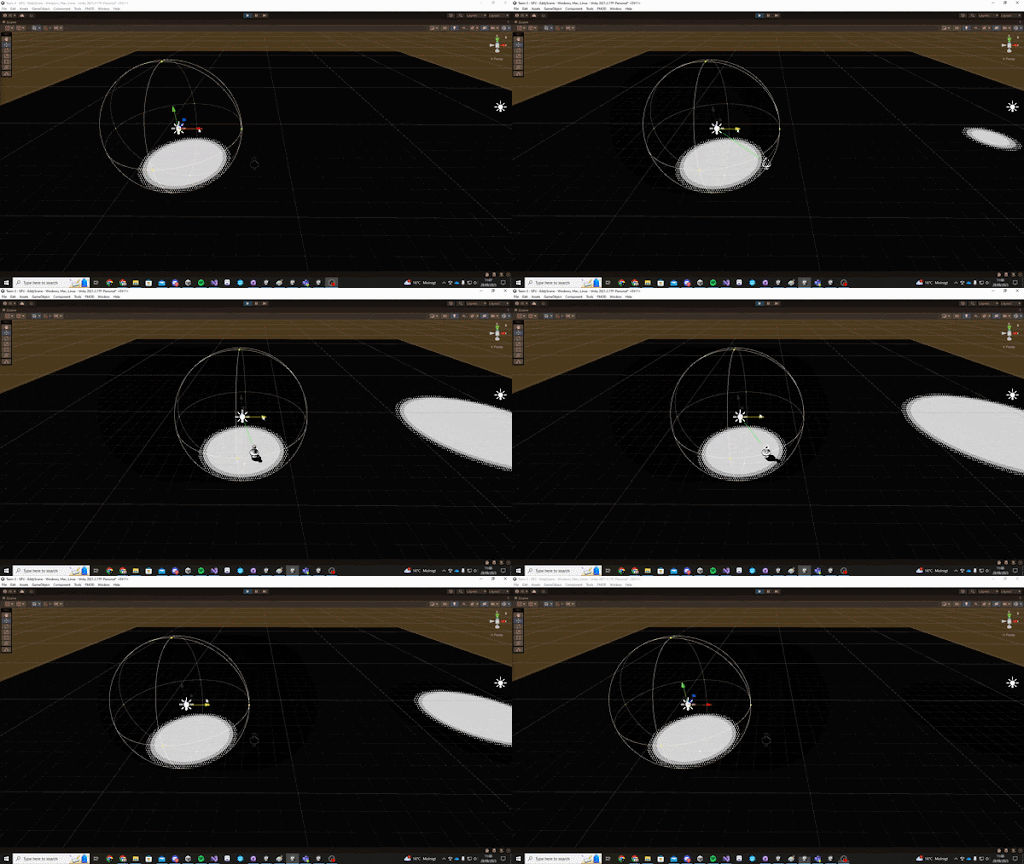
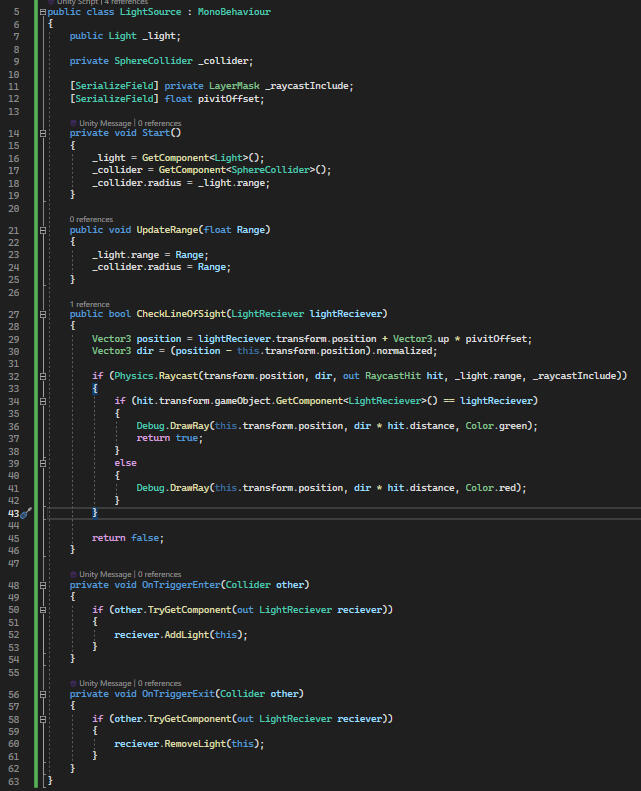
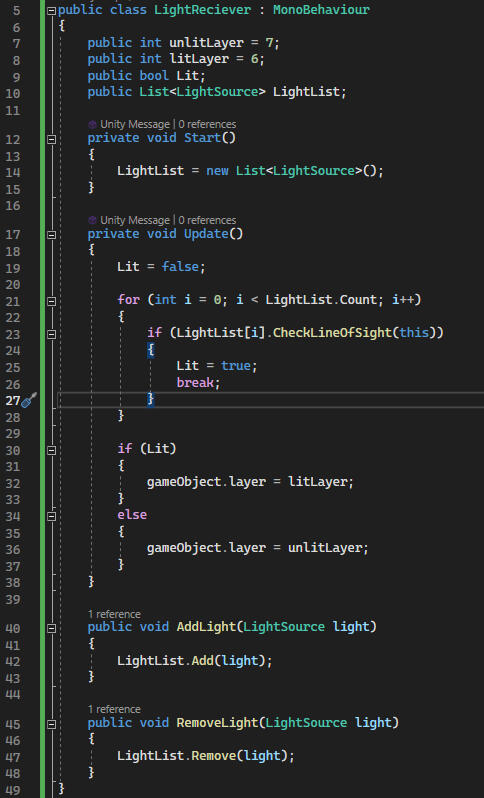
The light system is mostly made up from 2 scripts the LightSource and LightReciever. The LightSource has a trigger that is the same range as the light. When an object enters this trigger it will do a check to see if that object has a LightReciever script and if it does will add the LightSource to a list in the LightReciever script on that object.The LightReciever on Update will check if any LightSource in its list is within line of sight of the LightReciever's object using a ray cast. I do this by looping over all LightSources in the list. If a LightSource is true I set Lit to true and break the loop, otherwise i set it to false.Lastly i set the collision Layer of the LightReciever game object to the corresponding Layer.
LightSource
LightReceiver
Credits:
| Project Managers | Designers | Programmers | Art | QA |
|---|---|---|---|---|
| Alexander Jakobsson | Gustav Englund | Eddy Grootenboer | Max Niva | Christian Oja |
| - | Jonas Moström | Jesper Lundquist | Yasmine Lindberger | - |
| - | Hugo Lind | Linus Gråhammar | Elmina Nilsson | - |
| - | Kim Romsri | Sergei Maltcev | - | - |
| - | Emma Höggren | Daniel Broomé | - | - |
Pixel Petals
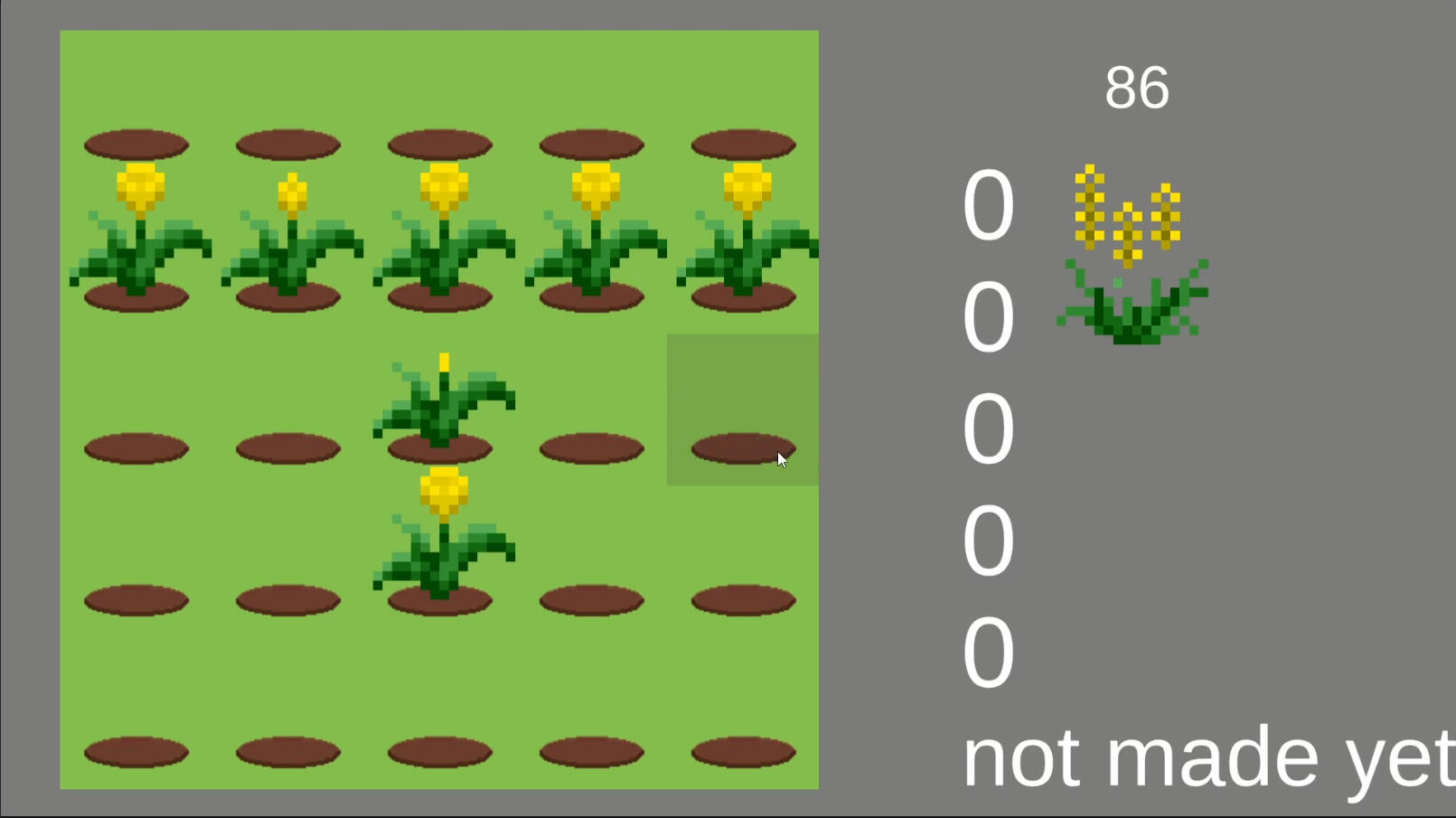
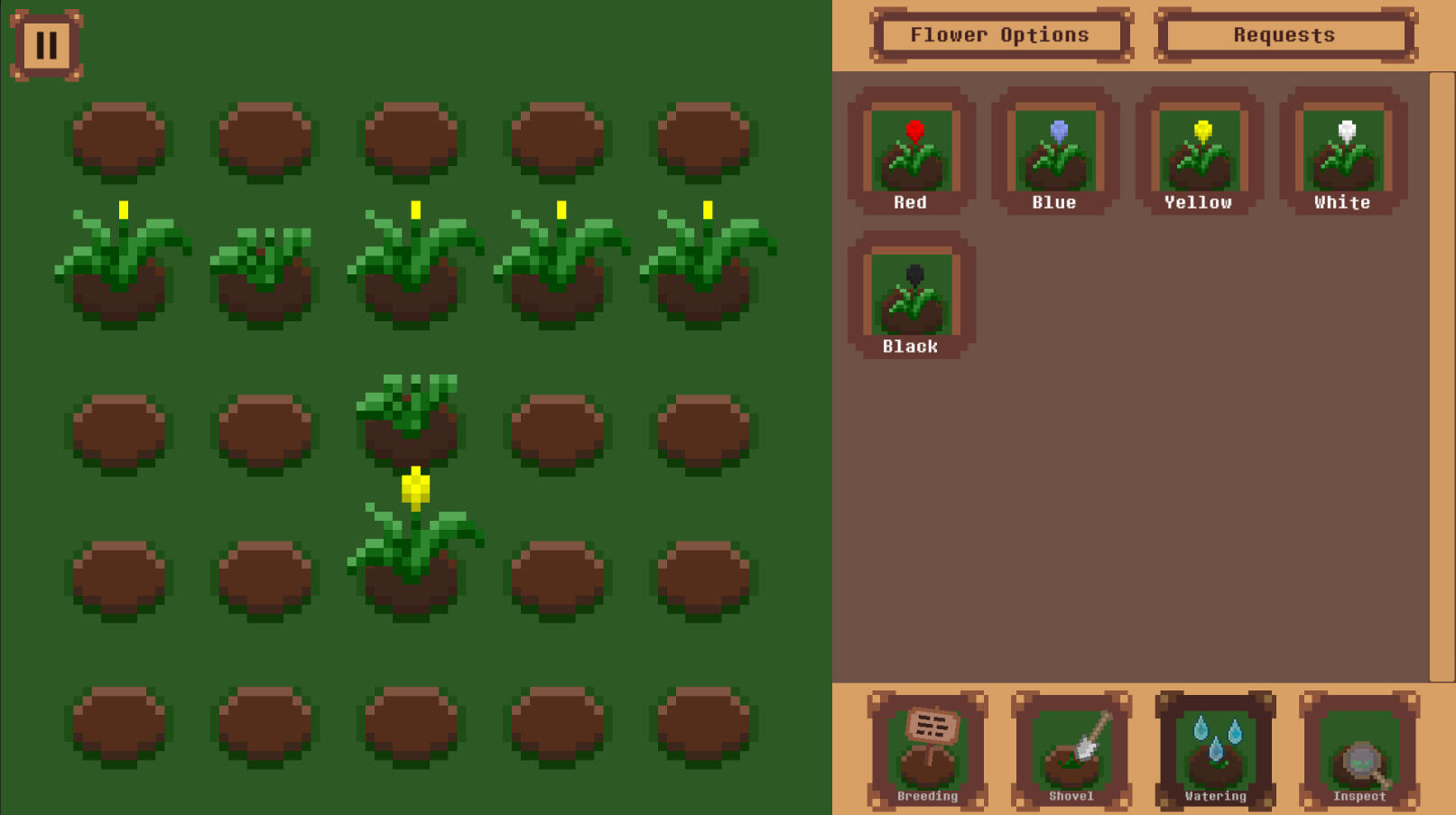
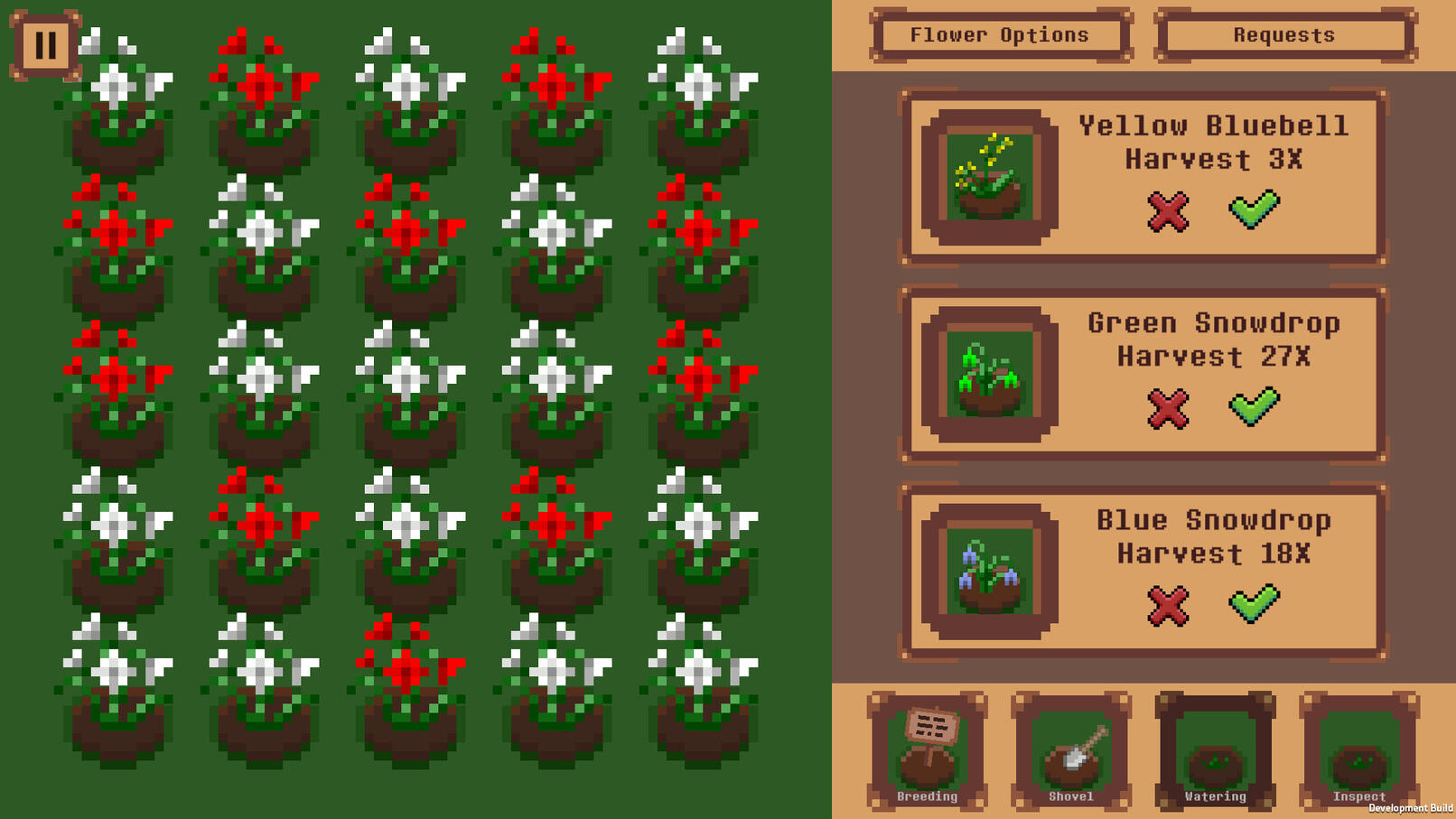
Pixel Petals is a 2D farming Sim. Crossbreed flower colors to discover new colors. complete quests to upgrade the stats of the flowers.This game I worked on during my education with a lot of breaks for other assignments. Time spend on the game with breaks was about 1 year.
Features
Editor Tool
Data Lists
State Machine
Achievements
Editor Tool
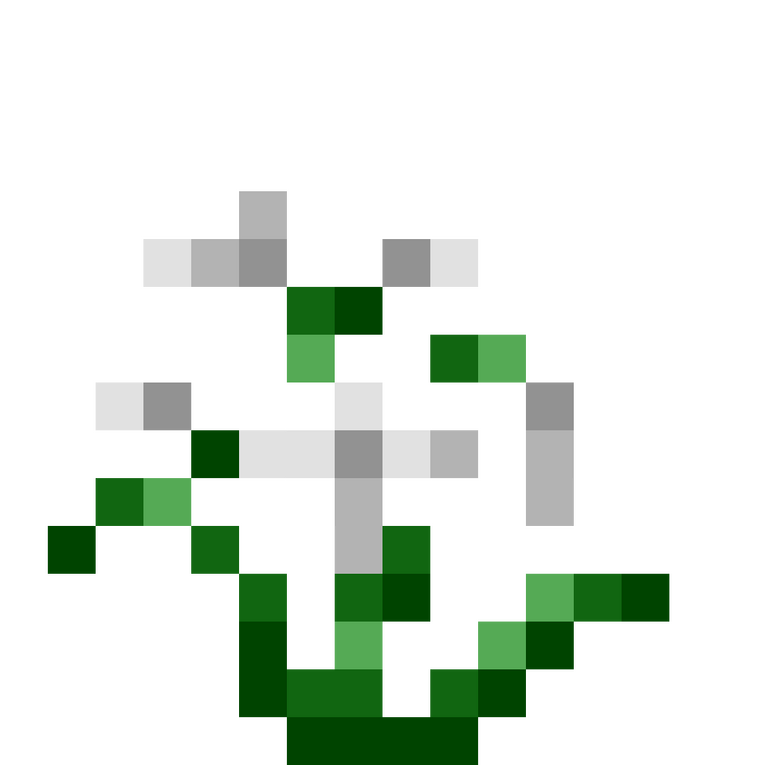
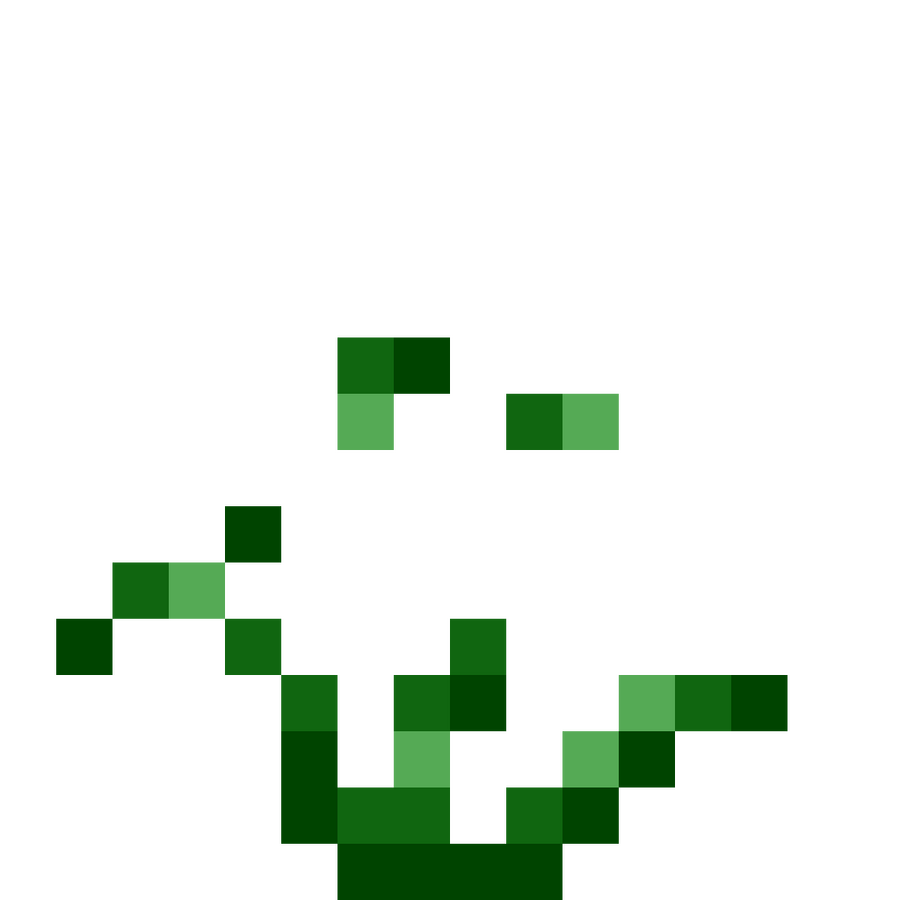
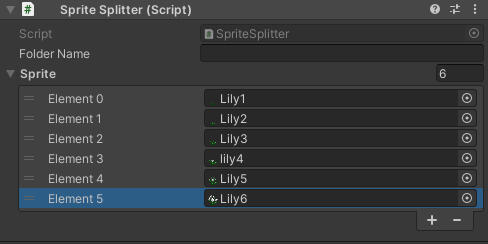
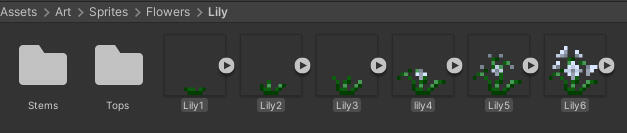
This project includes one editor tool, which I was very happy with how it turned out. I created this tool to reduce the time it took me to create flower art assets. In simple terms, it splits the white-colored pixels and the green-colored pixels.I have a string where I can add the folder name I want the tool to create. Then, I can add my sprites to a list. When I start the tool, it will grab the first sprite in the list and create two blank sprite assets: one named "white" and the other "color." Then, I go over the original sprite pixel by pixel and detect if the color value is more than 0.4 on R, G, or B. If it is, it will set the pixel on the "white" texture; otherwise, it will set it on the "color."After that, it will save the files in the folder for sprites with the sprite folder name.It will repeat this process for each sprite asset in the list.

Data Lists
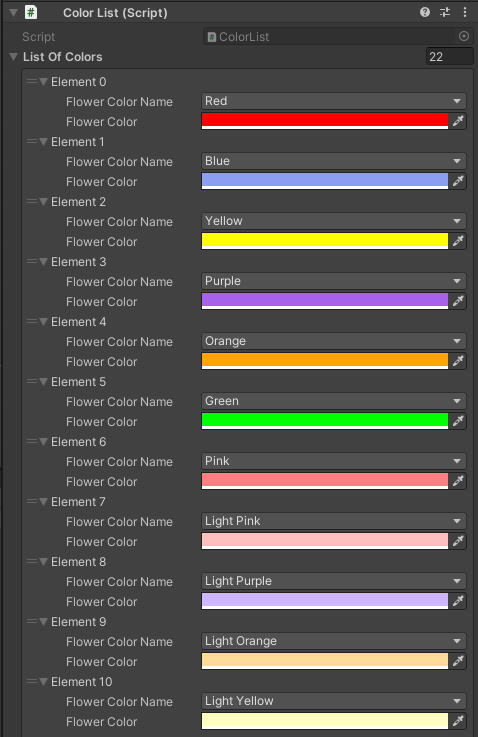
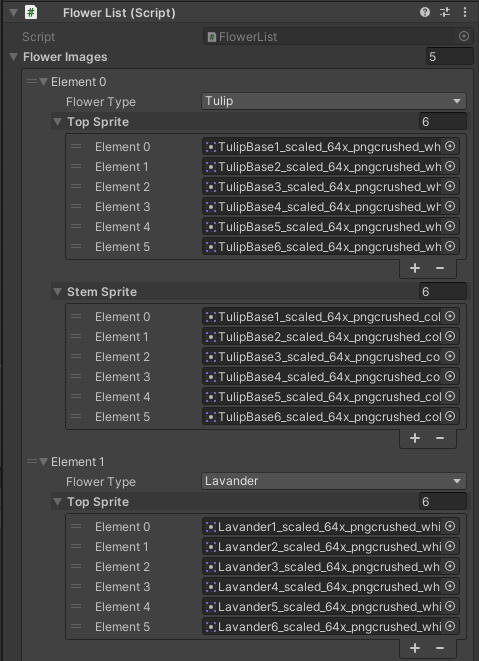
After finishing this project, I learned about Scriptable Objects but didn’t use them in this project.I have three types of data that are repeated throughout the game. To avoid setting them up in every place I needed them, I created Singleton Data lists. These lists are in the Game scene and hold data such as colors, flower types, and color combinations.Color List:
The color list contains a struct that holds the name of the color as an enum and the color itself. So if I ever want the color red, I can reference the list, and that specific shade of red gets used. This is very handy because now, if I want to change a color, I only have to change it in one location.Flower Type List:
The flower type list isn’t just a list of flower names; it also holds the sprites used in the project. The list has two simple functions: one to get the top sprite and one to get the stem sprite. After receiving these, I can use code to alter the color using the color list.Flower Color Combinations List:
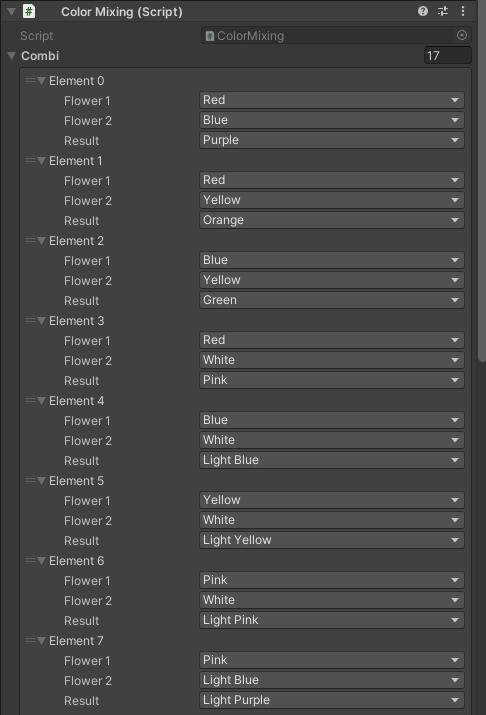
Lastly, the flower combination list holds the combinations of flower colors. If the player crossbreeds colors, it checks if the player has a valid combination and then has a small percentage chance to get the new color.
State Machine
State Machine
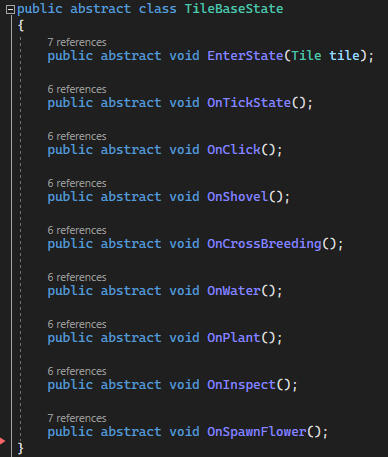
Each tile in the grid has its own state machine: Idle state, Growing state, Grown state, Decayed state, and Crossbreeding state.The Idle State
The tile will wait until a seed has been planted on it and has been given water. Once the requirement has been fulfilled, the tile will transition to the Growing state.The Growing State
The growing state is where the flower will take a certain amount of time to grow depending on its stats. A flower has six stages of growth and once it finishes the last stage, the tile will switch to the Grown state.The Grown State
the flower will be ready to harvest and start a timer before it decays, making the flower not count towards requests. Once the timer reaches zero, it will switch to the Decayed state.The Decayed State
Holds the flower to be removed, as it won't be able to be saved. The player must remove the flower and plant a new one. When removing the flower, the tile goes back to the Idle State.The Crossbreeding State
The crossbreeding state is where the tile will check its neighbouring tile if it has any fully grown flowers on it. If it has two or more grown flowers adjacent, it will try to combine the colors and create one of the 25 premade colors if the combination matches. If it fails, it will plant a flower that's the same color as a random one from the neighbours.
Achievements
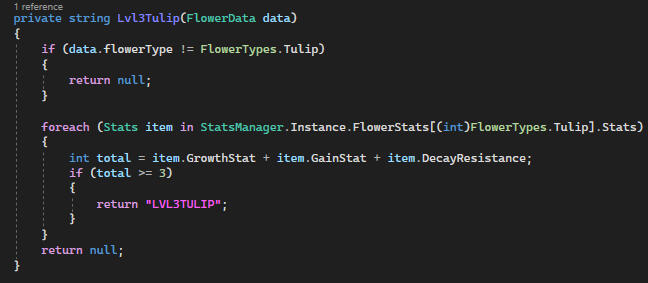
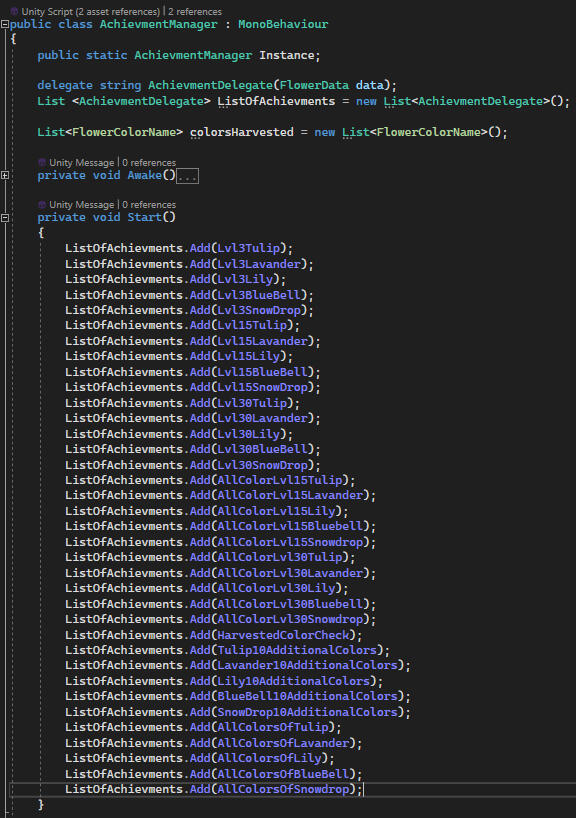
Steam achievements were the last thing I added to the game before polishing. Looking back, it's not the best system I’ve created, but it’s a learning moment, so I decided to include it in my portfolio.I started with a list of delegates, where at the start, I added every single hard-coded achievement check function into the list. If I were to do this again, I would look into making it more dynamic.
Conclusion
This project is one I worked on for quite a while, with some breaks in between because of school assignments. It really showed me what it’s like to build a game from nothing and actually release it. I got to see firsthand all the details you need to fix and the unexpected problems that come up, which you can’t just leave behind.I discovered how useful planning can be, but also that you shouldn’t get stuck on the design alone. The important thing is to make it work, and if it doesn’t feel right, figure out why and adjust your plans.Something else I learned during this project is how valuable it is to create small tools that make development easier. Having tools that help both programmers and designers really speeds things up and makes the process more enjoyable (and since I was also the designer, I got to experience both sides).
A* (Astar)
A* is a small project I undertook when I needed a break from my main project, Pixel Petals. I spent about 2 days on this project, and it was enjoyable. I followed a tutorial from redblobgames. Initially, I was quite confused, as my familiarity was only with C#, and now I had to delve into Python. I began by thoroughly reading the entire document to grasp what I was about to create. It was enlightening to realize that I would be implementing three algorithms, providing me with a comprehensive understanding of how it all functions. However, I also acknowledged the need to improve my skills in capturing progress through clips and pictures.
A* Experience
My goal with this project was to understand how A* works and see if I could use the pathfinding system in a fun way, like in a tower defense wave. I was pleasantly surprised by how well it worked and how little help I needed from my friends to get the hang of A*. It was really cool to see it all come together and actually perform well in real-time.The only issue I’m running into now is figuring out how to expand this to bigger grid sizes. I’m starting to notice some performance hits, which makes me think I should dive deeper into optimizations, especially in how I create and manage the grid.Next, I plan to look into more efficient ways to handle larger grids and maybe even experiment with different pathfinding algorithms to see if I can push the system even further.
Version 1
Game Of Life
I asked some of my friends for a good coding practice, and they recommended "Conway's Game of Life." So I tried it, and here are the results.I worked on two versions because my first version was very laggy and needed optimization.Here are the basics of "Conway's Game of Life":
Every cell interacts with its eight neighbors, which are the cells that are horizontally, vertically, or diagonally adjacent. At each step in time, the following transitions occur:1. Any live cell with fewer than two live neighbors dies, as if by underpopulation.
2. Any live cell with two or three live neighbors lives on to the next generation.
3. Any live cell with more than three live neighbors dies, as if by overpopulation.
4. Any dead cell with exactly three live neighbors becomes a live cell, as if by reproduction.
Version 1
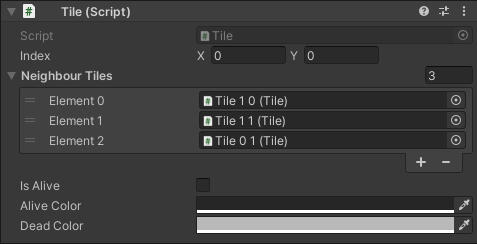
For the first version, I spawned 240 × 135 "tiles," each with its own script and functionality. Each tile had its own set of responsibilities: checking its neighbors, recoloring the texture of the tile sprite, and tracking its coordinates, neighbors, alive status, and status colors.But with 32,400 "tiles" running code every frame, I quickly realized that this approach was a bit of a performance nightmare. It didn’t take long to see that I needed a more efficient solution, so I started digging into ways to optimize the system.
Version 2
For the second version, I switched things up by using a single sprite with one texture and directly modifying the pixels based on each cell's alive status.To get this working, I needed a way to paint on the texture, so I reached out to my friend Christian Bäckström, who generously shared the code to make that happen.I also streamlined the system by storing all the cell statuses in a single boolean array. This allowed me to consolidate status checks into one efficient function.On top of that, I added a few cool features: you can now pause and resume the game with the space bar, randomize the field with the R key, and clear the entire grid with the C key. These additions make the game much more interactive and fun to play.
Magic the gathering booster pack sim
I have always enjoyed opening magic the gathering booster packs but they are expensive. So I wanted to open them without having to pay for them (and not having to resort to crime.) I had a couple of challenges set for myself.
1. Make it easier to get the Data of the cards in a set
2. Make getting images into the project easier.
3. Make booster packs be able to hold different combination of cards.
Getting the card data
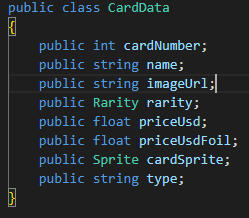
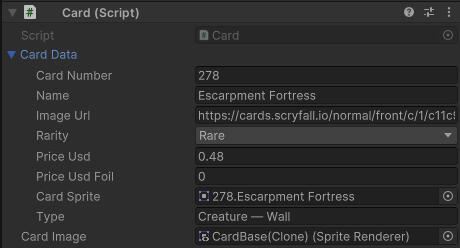
To get all the data, I use Scryfall's API. To prevent downloading all Magic cards in existence, I use their set code to retrieve only a specific set, which I then download as a complete set of data into a large list of card data.After gathering all the data, I end up with a large list full of detailed card information. From there, I transfer this data into my own more condensed card structure, focusing on key variables like price, rarity, and cardImageURL. This allows me to store only the essential information I care about for the project. I then store these cards in a scriptable object that holds a list of each card.
Image of card data
Getting the card images
To gather all the images for the cards, I wanted to avoid the tedious task of downloading and uploading each one manually. Since I already had the image URLs from collecting the card data, I wrote a custom editor script to automate the process. This script downloads all the images from a scriptable object, names them appropriately, and assigns them to the correct card data.To prevent making too many API calls and risking a ban, I included a delay between each download. The script then saves the images in the correct folder, checking if an image already exists before downloading. If the image is already in the project, it assigns it; if the image is already linked to the card, the script skips it. This automation saved a lot of time and ensured that everything was organized efficiently.
Creating the booster packs
In Magic The Gathering, cards come in four different rarities: common, uncommon, rare, and mythic rare. When creating a booster pack, the entire card set is sorted into eight distinct lists, with each rarity divided into two categories—normal cards and land cards.Each booster pack is defined by a scriptable object called a CardSlotChance. A CardSlotChance specifies the possible rarities for a card slot, which can include multiple rarities. It also includes two important booleans: the first determines whether the card can be a land, and the second forces the card to be a land.When it’s time to choose a card for a specific slot, the script checks these three factors: the allowed rarities, whether the card can or must be a land, and the predetermined weight value for each rarity. Based on these criteria, eligible cards are added to a card pool. Finally, one random card is selected from the pool according to the weighted chances, ensuring a balanced and exciting pack-opening experience.
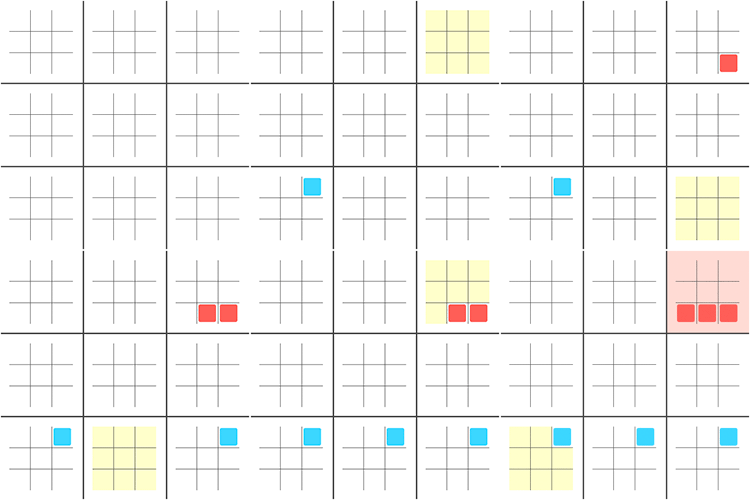
Finished result
Super Tic Tac Toe Online
While learning about networking for games, I wanted to create a game rather than just connect two clients and send a message. After some research, I came across a game called Super Tic Tac Toe, which looked very interesting.Basic Explanation:
Super Tic Tac Toe takes the simple concept of Tic Tac Toe and expands it into a more strategic and complex game. It’s played on a large 3x3 grid of smaller 3x3 Tic Tac Toe boards, where each move you make on a small board determines the specific small board where your opponent must place their next mark. The goal isn’t just to win on a single small board, but to secure three small boards in a row on the larger grid, either horizontally, vertically, or diagonally. This adds a significant layer of strategy, as you not only have to think about winning individual boards but also about how your moves impact the overall game. It’s a game of both offense and defense, requiring players to anticipate their opponent’s strategy and control the flow of play to secure victory on the larger grid.
Basic setup
I started with a single tile from a standard tic-tac-toe game. I added the functionality to display an X or O and included a check to ensure the tile hadn’t already been used. In hindsight, I could have simply checked the symbol status, but the method I used worked fine.Next, I moved on to the full tic-tac-toe game, which consists of a 3x3 grid of individual tiles. I added functionality to highlight the squares that are available for play. I also implemented checks to determine if the game had been won, lost, or tied. Finally, I added the feature to display the winner of that particular tic-tac-toe game.Lastly, I tackled the Super Tic-Tac-Toe game. This primarily involved setting up the win checks for the Super board and linking the smaller boards accordingly.
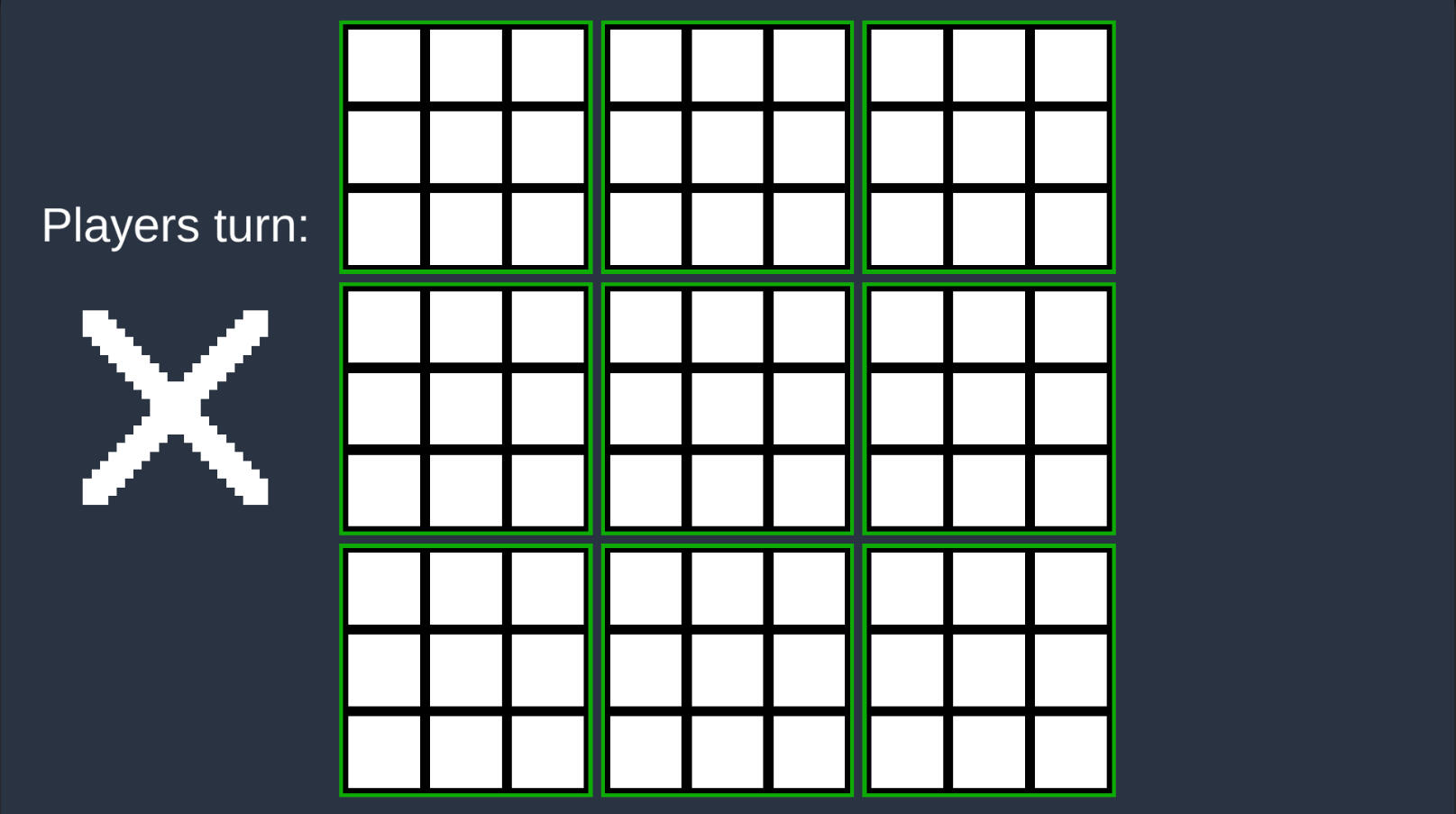
Multiplayer aspect
To enable multiplayer functionality, I used a template for the lobby system. Unfortunately, I don’t have anything to showcase for that part as my own work. I’m quite disappointed about this because my understanding of this component is lacking. While I grasp some of it, it would have been more beneficial to develop it myself.The game manger handles the multiplayer aspects of a Super Tic-Tac-Toe game in Unity, utilizing the Unity Netcode framework. It manages several key functions:1. Turn Management: The script keeps track of whose turn it is, alternating between players after each move. It uses server-side logic to ensure that the turn order is synchronized across all clients.2. Network Synchronization: It synchronizes critical game states—like player turns, UI updates, and game board changes—across all connected clients. This is managed using ServerRPC and ClientRPC calls.3. Input Handling: On the client side, the script processes player inputs, checks if a move is valid, and then sends that move to the server for validation and execution. The server updates all clients with the new game state.4. AI Integration: If only one player is connected, or if the game mode includes AI, the script can take control of the second player's turn, allowing the AI to make moves automatically based on a simple win-checking algorithm.5. UI Management: The script updates the UI to reflect the current player's turn and hides unnecessary UI elements at the start of the game to focus on gameplay.
Warzone Survivor
Warzone Survivor was the first assignment given at the start of my programming education. The goal was to create a simple, Vampire Survivors-style game, focusing on core mechanics like player control, enemy interactions, and game progression. Below is a summary of the key features I implemented during the development of this project:- Player movement across the screen
- Player can die and reset the game
- Player levels up after reaching XP thresholds, unlocking upgrades
- Camera follows the player’s movement
- Enemy AI that independently moves toward the player
- Enemies spawn over time and can be destroyed by the player
- Three distinct enemy types with unique characteristics
- Enemies drop XP on death, with a UI to track XP
- Game pause function and main menu with start and settings options
- Increasing enemy difficulty as the game progresses
- High score tracking in the main menu
- UnityEditor tools to create new enemy types and upgrades easily
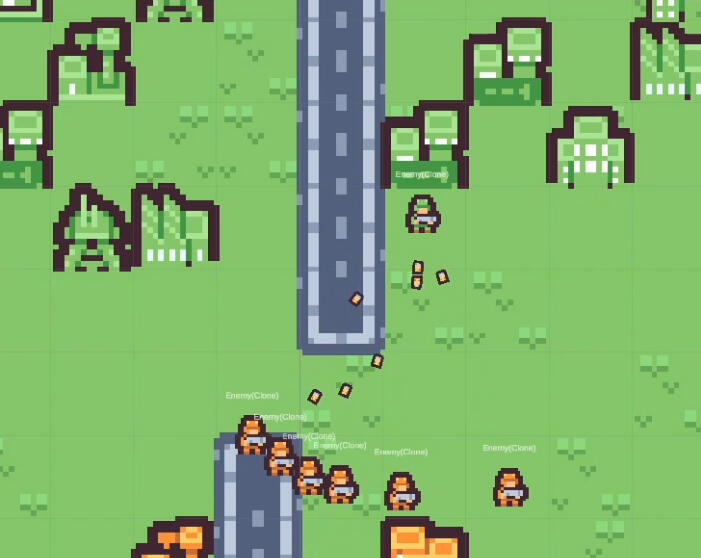
Main game loop
The game loop has five enemy factions and one player faction. Each faction fights to earn XP and level up. As you take on enemies, they’ll get stronger, so you have to change your tactics.When the player levels up, they can pick a reward that suits their playstyle, like more health, better damage, or new abilities. Enemies also get a stat boost, which keeps the game challenging.As a solo player in this war simulation, you need to scout the area and decide when to fight or run. You can focus on taking down certain enemy factions or target weaker enemies to rack up XP quickly.The game is fast-paced and intense, with enemies constantly coming at you. You’ll have to dodge attacks and make quick decisions to survive. Every choice matters, and the enemies will react to your actions, so stay on your toes!
Map Generation
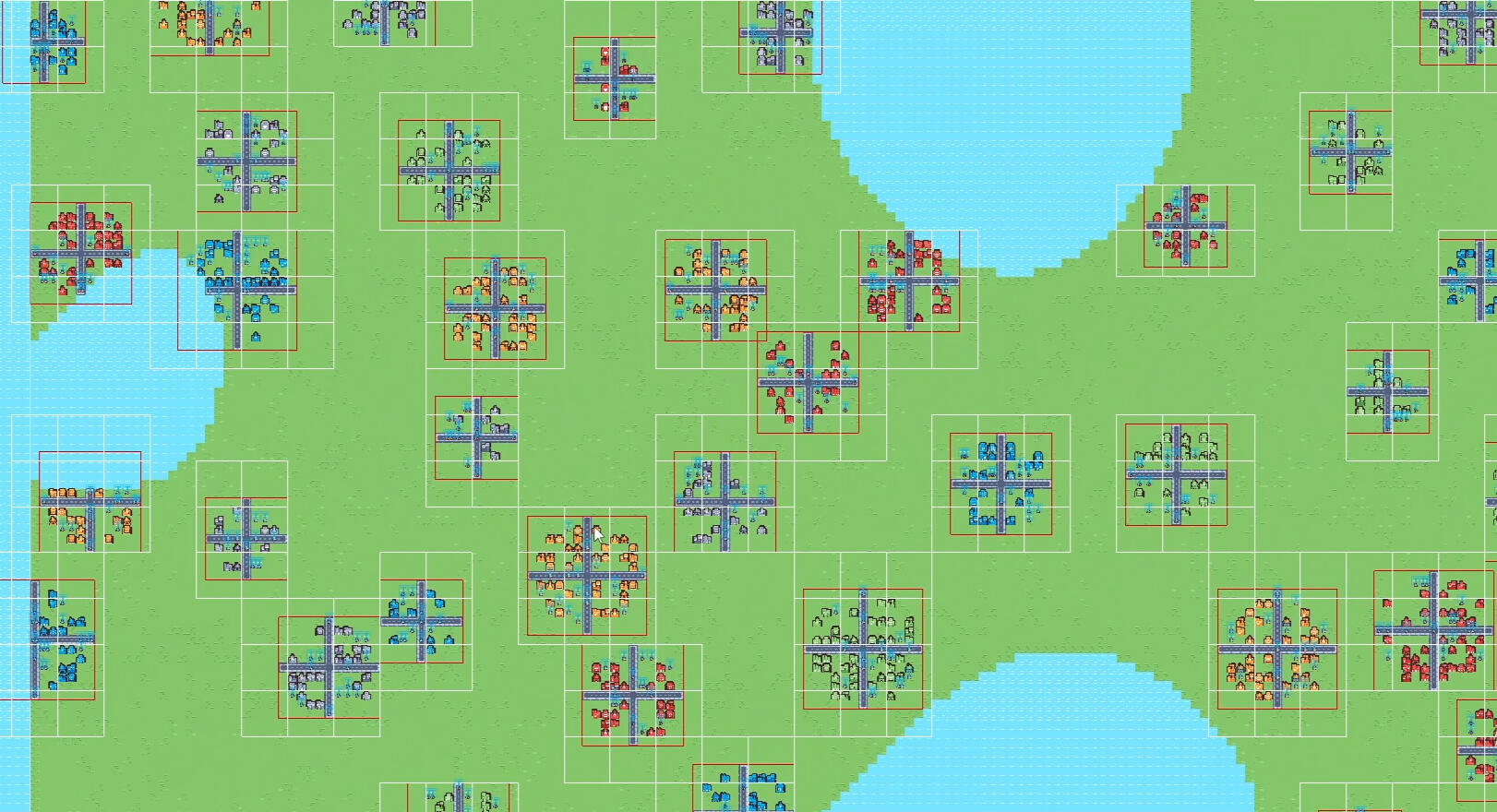
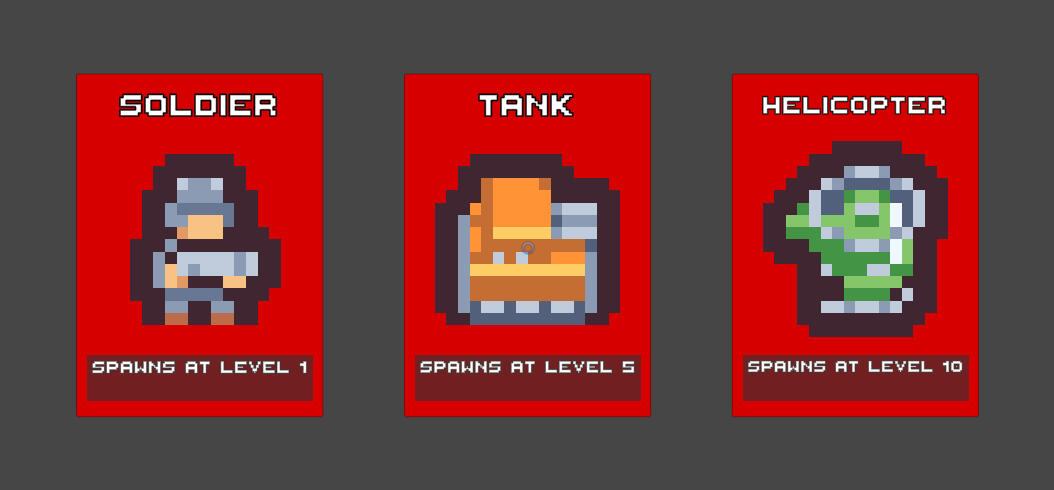
The map is procedurally generated using Perlin noise, with water tiles and land tiles. I’m still polishing the map generation controls.After generating the map, I randomly spawn cities based on size. I pick a land tile to place a city and give it a random radius for size. I check for nearby cities to make sure their areas don’t overlap. I use a spatial hash grid for this, so I don’t waste time checking cities that are too far away.Once the city is in place, I fill it with buildings and add roads. Each city gets its spawn points and faction. The enemies have different spawn values: soldiers are 1 point, tanks are 5 points, and helicopters are 10 points. Each city has a total spawn value, like 30 points, and will randomly spawn units based on that. For example, a city could spawn 2 helicopters, 1 tank, and 5 soldiers.
Enemies
For my enemies, I kept it simple and only added stat differences along with different sprites. Each enemy has a target. If an enemy doesn’t have a target, it will look for the closest one within its detection range.To prevent every enemy from looping through all enemies in the scene, I implemented a spatial hash grid. This way, the enemy only checks about 10 enemies instead of 1,000, making it more efficient.Once an enemy has a target, it moves toward that target until it’s in attack range. When in range, it shoots a bullet based on its attack speed.Enemies can take damage from bullets. If an enemy gets killed, the bullet that finished it off will identify which faction made the kill and grant XP to the appropriate faction.
Enemy optimization
Optimizations
I focused on optimizing the game because I wanted to have a big map where a lot can be happening at once.To do that, I had to implement a spatial hash grid and object pooling.Spatial Hash Grid
I used the spatial hash grid in two different parts of the project. The first time was for the cities. This stops cities from doing distance checks with ones on the other side of the map and only checks cities nearby.The second time I used it was for the enemies. Now, enemies only check distance with other enemies around them. It also helps with updating only the enemies near the player, so I don’t have all enemies running updates even when they’re outside the player’s range.Object Pooling
I set up three different object pools.The first pool was for the enemies. Since enemies are fighting all over the map and constantly dying, using an object pool here was a no-brainer.The second pool was for bullets. Every enemy and the player use the same bullet object; I just change the data, like who shot it and other details, when the bullet gets fired.The third pool was for death particles. I set this up just in case I wanted a death particle that isn’t blood for other types of enemies in the future.
Editor tools
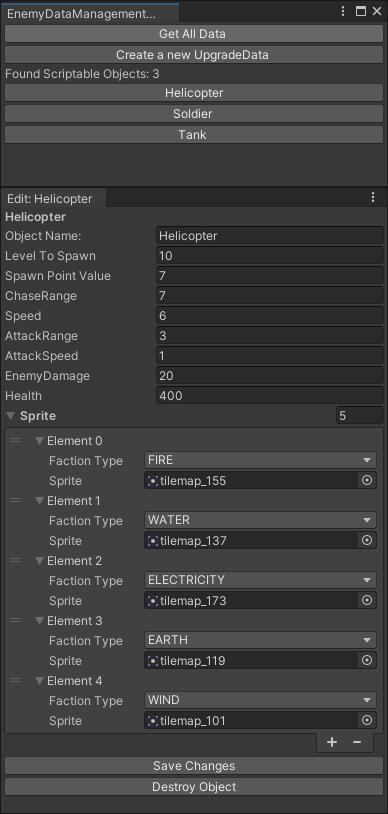
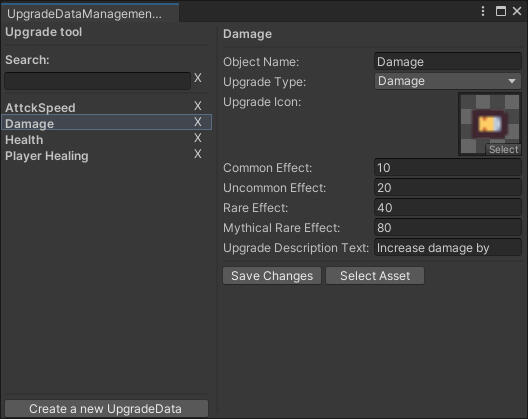
Creating editor tools was a requirement for this project. Initially, I felt that building a custom tool for a game of this scale might be a bit of a time sink. However, as I worked on it, I realized that if I were to scale up the game, having this tool would be incredibly valuable, so I ended up learning some useful lessons along the way.The tool I developed allows me to edit the stats of enemy units' scriptable objects. It doesn’t just stop there, though. It can also create new scriptable objects for enemies, save them directly into the project, and even add them to the spawn list. Now that I’ve added those features, I’ll also need to include options for removing objects from both the project and the spawn list.My first iteration of the tool was a bit clunky. You’d press a button to pull up all the objects, then click on each one individually to open a new screen where you could edit it. While this got the job done, it was slow and disconnected, especially for quick edits or when viewing multiple items.The second version is much more streamlined. Now, everything appears within the same interface. I added a cleaner, highlighted selection for the item you’re working on, and included a search function. So if you’re working with 1,000 items, it’s now much easier to find exactly what you need.
Conclusion
Doing this project was a lot of fun.I really liked working on the optimizations to make sure the game didn’t end up running at 3 FPS. Learning techniques like spatial hash grids and object pooling was a great experience, and it’s something I’ll definitely take with me into future projects. It was cool to see how much smoother the game ran after implementing these systems, especially with how many enemies and objects were on screen at the same time.If there’s anything I’d want to improve, it would be the random level generation and the enemy AI. The random level generation could use a bit more variety, and I think the AI could be smarter, reacting more to the player's actions instead of just moving toward them. These are things I’d like to dig deeper into in future updates or projects.
Sand Simulation
Sand simulation was a fun side project. I used to play this game where you could drop sand, water lava and many more things. This made me think how does the sand simulation work and because 3D seemed a bit hard I chose to do a 2D version.
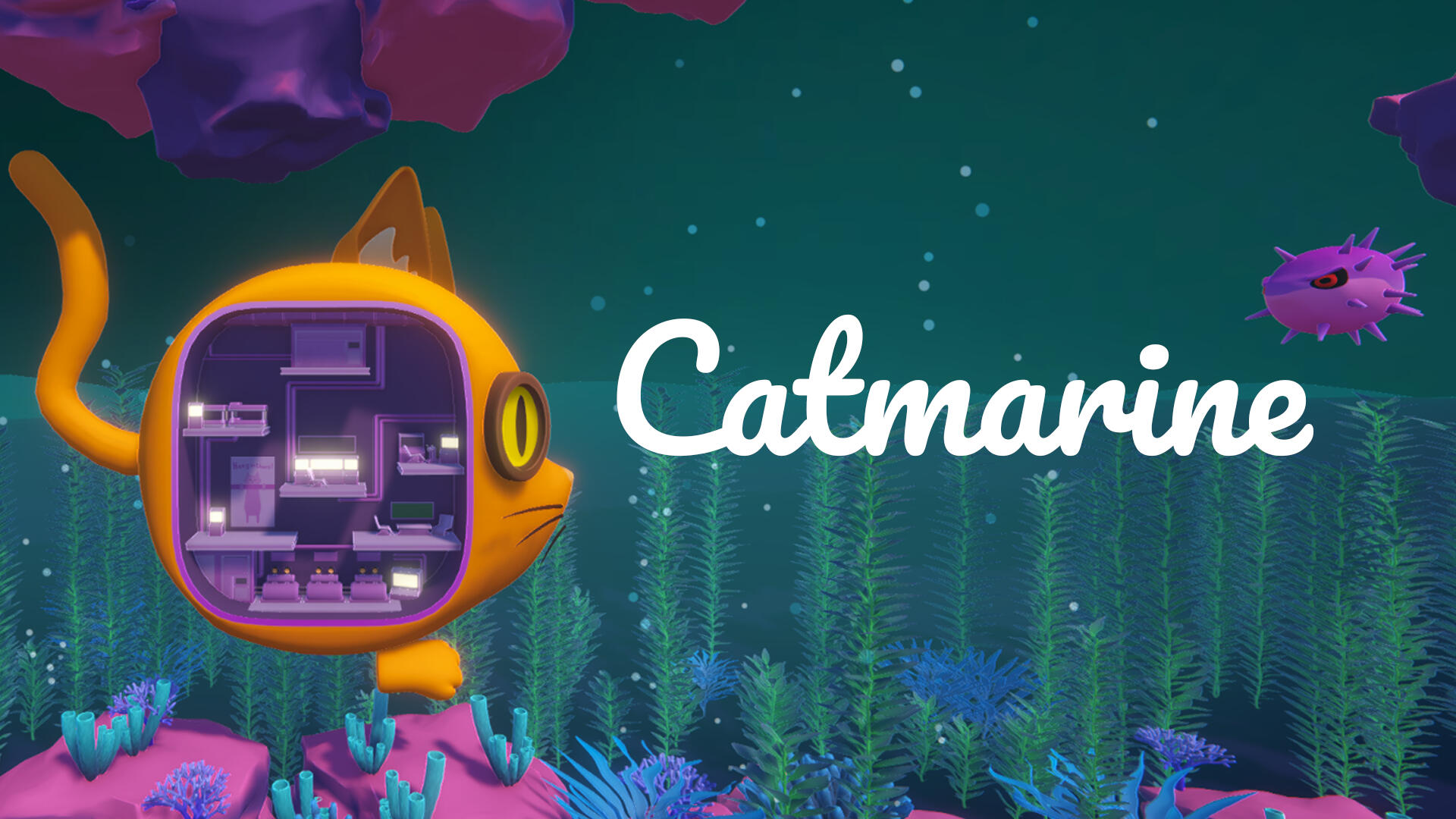
Catmarine
Catmarine was a game-jam game I worked on with 4 of my friends.
The theme was to use the Proton Engine, which is designed to make multiplayer networking easier to work with.Catmarine is an online co-op typing game where players control a cat-shaped submarine together. Everyone runs around inside the sub to different stations that manage movement and weapons. The twist is that everything, including steering, speed, and shooting, only works by typing cat-related puns as fast as you can. It quickly turns into chaos as players try to coordinate their typing to keep the submarine from crashing while dealing with obstacles along the way.
Word System
I was in charge of the word system. This handled all possible words in the game as well as the ones currently active.I started by creating a WordList class that contained a CATegory enum and a List<string> of words. The idea was to support different categories of word lists if we wanted variety later on. In the end, we didn’t end up using that feature, but I think it was a good system to have in place for flexibility.Next, I built the WordBank, which stored all the word lists. On startup, it populated a dictionary for faster lookups, using the category as the key and the list of words as the value. The WordBank also included a function to fetch random words from the bank. When a word was selected, it was added to the active word list so it couldn’t be reused until it was released by the system that had claimed it. This helped prevent dupliCATe words from showing up during gameplay.
Enemies
I also created our enemies: the pufferfish. In our world, they act as obstacles that block the submarine’s path. They stay stationary, and the only way to destroy them is by standing at the shooting workstation and typing out their assigned word correctly.When a pufferfish spawns, it requests a word from the WordBank singleton, which assigns it a unique word that can’t be reused until it’s released. Each active pufferfish displays its word to the players. When someone types a letter, every pufferfish with a matching prefix lights up, and only the one with the fully matched word is destroyed. On completion, it triggers a short explosion animation to clear it from the path.Everyone can type at once, but a word has to be completed by a single player. This created a lot of fun chaos as players tried to coordinate which words to go for. I had started experimenting with a boss version of the pufferfish that would use longer or dynamic words, but I didn’t manage to finish it before the end of the jam.
Conclusion
I really enjoyed the game jam. I’ll admit I shied away from the networking side of things because I didn’t want to be a problem for the team. Looking back, I should have stepped up and tried to figure it out. My fellow programmer was amazing, and I focused too much on not getting in his way, that’s something I want to work on.My goal is to keep developing this game with the group into a small release, and to spend more time on the multiplayer side so I can get a solid grasp of how it works. Overall, the jam was a great experience, and I learned a lot about collaboration and my own habits as a developer.